

If you make a purchase after clicking on links within this article, Lee Enterprises may earn affiliate commissions. The news and editorial departments had no role in the creation or display of this content.
Customers get to test leading AI headshot generators with free trials, so you know what suits you. Most of these sites provide free credits or limited-time access, allowing you to test quality and speed.
Upload your selfie, explore styles, and select what fits for job networks or social media. Here are reviewers’ top AI headshot generators with free trials and affordable plans.
Reviewers’ Key Takeaways
- You’ll find tons of AI headshot generators with free trials, so you can take them for a spin before going pro.
- They all come with their own advantages, ranging from face libraries, customization, editing tools, and even animated avatars that cater to various professional requirements.
- Most free trials are limited by image resolution, usage, or customization.
- Easy-to-use interfaces and rapid image creation empower you to generate professional headshots in a flash, even if you’re not a designer.
- Think about your purpose, whether it is professional profiles, social media presence, or artistic endeavors, and select the generator that fits your needs.
- Check each provider’s terms on commercial use and image rights to confirm you can use your generated headshots how you please.
People are also reading…
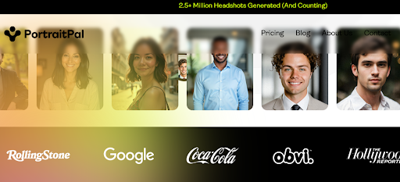
Reviewers say Portrait Pal distinguishes itself with AI-driven tools that craft crisp, lifelike headshots from just a few of your pictures. You just upload personal photos, and it starts working immediately. The entire process, from log-in to check-out, takes just a couple of hours — up to a day when using their free AI headshot generator.
Customization is easy. You can adjust the background, clothing style, and even facial expressions. If you desire a headshot with a simple blue background or a white-collar shirt, you choose those options before image generation.
Free users receive lower resolution images with watermarks. Image generation for free users is slower, taking up to a day for low-priority images.
In comparison to a standard photoshoot, which runs between $150 and $600 for one to three hours, you save time and money but sacrifice image quality in the free version.
MagickImg
Reviewers say MagickImg is a great pick for anyone wanting professional-looking AI headshots without spending a fortune. The platform’s AI-powered technology produces crisp, realistic portraits that closely resemble what you’d get from a professional photographer. Getting started is simple — upload a few clear selfies, select your desired background and outfit style, and MagickImg takes care of the rest. Within a few hours, you’ll receive a collection of polished headshots ready for use on LinkedIn, business profiles, or your portfolio.
Pricing is highly affordable, starting at just a few dollars per image depending on the package you select. For those wanting to test it out first, MagickImg offers free trial credits each month (typically around five), giving you the chance to generate headshots before committing to a paid plan. Paid plans unlock higher resolution, watermark-free images, and faster delivery times.
Turnaround for paid users is generally fast, with most results ready within 2 to 3 hours. Free users can expect a longer wait — sometimes up to a full day — since free image requests are processed on a lower priority basis. Overall, MagickImg offers an excellent balance of price, performance, and accessibility, making it one of the most affordable ways to get clean, professional AI headshots in 2025.
Fotor
Reviewers say Fotor provides a simple solution to generate AI headshots that suit personal and professional requirements. The big attraction is the clean, no-frills interface. You get step-by-step prompts that take you from photo upload to final download. Drop your photo, pick a style, and let it go. No cluttered menus and confusing layers.
The editing tools extend well beyond standard cropping and resizing. Fotor allows you to adjust lighting, correct skin tone, or enhance details in just a few clicks. If you want to interchange backgrounds from a simple color to an office room, you can. The app lets you adjust facial features, such as smoothing skin or altering eye color, aiding in achieving a polished yet natural look.
Fotor’s free version includes basic headshot generation and simple edits. You get a sample of the AI engine, but options for backgrounds, clothing, and premium fixes are more limited. If you desire more control, such as batch processing or additional design elements, the premium plan opens these up.
Pricing begins at approximately $9 monthly. Paid plans get you quicker processing and more export options, which can reduce your wait time to minutes.
StarryAI
StarryAI is unique for the straightforward manner in which it generates AI headshots, allowing you to begin with only a single selfie and some basic information. There’s no need to complete lengthy forms or adjust endless settings. Once you upload your photo, the app fires up quickly, displaying a new headshot that appears refined and realistic.
You’ll find its image generation speed among its best features. StarryAI’s AI runs in seconds using state-of-the-art models trained on millions of images.
StarryAI allows you a lot of flexibility to mess around with your style. The “variations” option allows you to snap a single base photo and generate multiple headshots from it. Feel free to experiment with different poses, clothing, and lighting.
StarryAI allows you to create 5 artworks per day for free, and those creations aren’t watermarked. This daily cap hits the sweet spot for most personal needs, but won’t work if you desire to create dozens of versions at once. Upgrade to the Pro subscription to access additional capabilities such as increased limits and enhanced controls.
It collects some data — like your contact and usage details — to keep things running. It’s supported on iOS devices with version 16.6 or later and occupies 139.4 MB. StarryAI employs sophisticated AI techniques to ensure your headshots are crisp, and the system is trained to detect major features, styles, and lighting.
HeadshotPro
Reviewers say HeadshotPro is remarkable for its laser focus on business-ready headshots. This tool has features aimed at those requiring crisp profile photos for LinkedIn, company websites, or professional portfolios. You begin by uploading 15 photos of yourself, with basic guidelines of facing the camera, a clean background, and a work-appropriate appearance.
Once you upload your images, you select from an extensive collection of attire and backgrounds. This determines how your finished headshot aligns with your career or field.
It takes roughly 1 to 3 hours for the system to generate your headshots, which is far faster than booking a shoot.
One of the features is the background remover. You’re left with a crisp, distraction-free image that directs attention to your face. This is particularly handy for business platforms that appreciate clean, unbusy headshots.
You will see a distinct difference in output between the free and paid versions. The paid package, beginning at $29, grants you high-resolution images with subtle retouching and additional templates.
Free trials are lower resolution with fewer edits that can show in the sharpness or background blend. All images generated are deleted after 30 days, and you retain full rights to your headshots for any business or commercial usage.
Vidnoz
Vidnoz is a popular AI headshot generator that delivers professional-quality portraits at a fraction of the cost of a traditional photoshoot. It’s known for offering an impressive range of over 40 styles, including different backgrounds, clothing options, and expressions, making it ideal for anyone who wants a variety of polished looks rather than just one or two. Getting started is simple: upload 9 to 14 clear, front-facing photos, choose your preferred styles, and let the AI do the rest. Within just a few hours, usually around two, Vidnoz generates a full set of headshots that look clean, natural, and professional enough for LinkedIn, corporate sites, or marketing materials.
What makes Vidnoz stand out is its affordability and flexibility. The platform provides a free headshot generator that allows users to test out its AI technology before purchasing. This free version can take longer to process, sometimes up to a day depending on demand, and the image quality and variety are limited. For faster turnaround and higher resolution images, Vidnoz’s paid plans start at just $14.99 for the Starter package, which includes 5 styles and up to 40 headshots. The mid-tier Normal plan costs $24.99 and offers 12 styles and 120 images, while the Premium plan at $34.99 delivers 22 styles and up to 220 headshots.
Canva
Canva offers one of the most accessible ways to generate AI-powered professional headshots directly within its familiar design workspace. With the AI Headshot Generator feature, you simply upload a well-lit selfie, select your gender identity (including non-binary), and the system automatically refines lighting, removes distractions, and applies a clean background, all in just a few minutes.
Canva’s core platform includes a free tier that lets you access many tools without paying, and the AI Headshot Generator itself provides two free credits to start. After using them, you can earn additional free generation credits after 24 hours, making it a great option for occasional use. For those needing more flexibility, upgrading to a paid plan unlocks unlimited access, premium design tools, and high-quality download options.
Turnaround time is nearly instant since Canva’s tool processes images in real time, unlike many generators that require hours to deliver results. The entire process takes only a few clicks, and you can edit your new headshot directly in Canva to add backgrounds, filters, or text overlays.
Reviewers’ Conclusion
Tools like Portrait Pal and MagickImg provide you with quick, crisp results that accommodate various needs. Fotor and Canva shine if you want to customize and style your shots. For more realistic photos, StarryAI and HeadshotPro differentiate. Vidnoz works well for casual or professional profiles. All tools here allow you to try before you buy, so you save time and money. Pick a tool, give it a shot, and check what matches your style.